
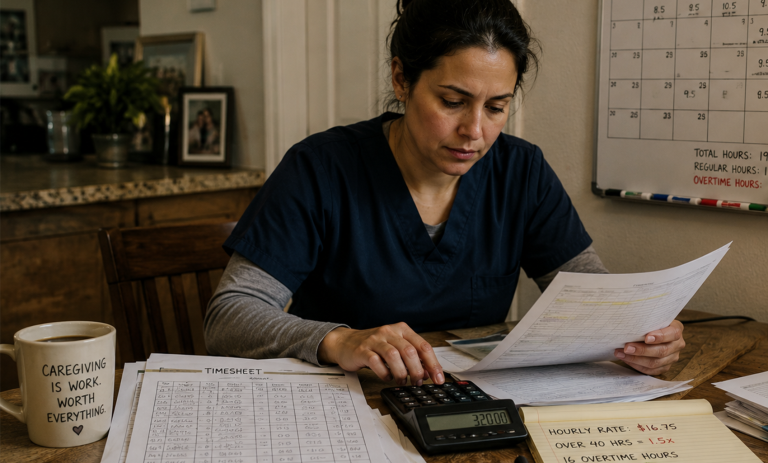
Overtime in IHSS is settled one Sunday-to-Saturday week at a time. It is not averaged across the month and it is not tied to your paycheck cycle. Once you can see all three clocks at once — the workweek, the pay period, and the monthly authorization — most “why is my check different” questions answer themselves.
If you provide IHSS, you have probably compared notes with another provider, found that you both worked about the same number of hours last month, and discovered your checks were not the same. That is not necessarily an error.
This article covers how overtime is calculated, how it shows up on your timesheet and your paystub, and the four most common reasons two providers with nearly identical hours end up with different overtime pay.
The rule everything else is built on
Overtime is any time you work more than 40 hours in a single workweek. Those hours are paid at one and a half times your hourly wage. This is written into state law at Welfare and Institutions Code section 12300.4(c).
Two words in that sentence do most of the work: single and workweek.
The count resets every workweek. It does not accumulate across the month and it does not carry forward. A week where you worked 38 hours lends nothing to a week where you worked 44.
What counts as a workweek
State law defines the IHSS workweek precisely: it begins at 12:00 a.m. on Sunday and runs for the next 168 consecutive hours, ending at 11:59 p.m. the following Saturday.
That definition is fixed. It does not shift to match your schedule, your recipient’s schedule, the calendar month, or your pay period.
The three cycles that do not line up
This is where most of the confusion starts. IHSS runs on three different clocks at the same time.
Cycle | Length | What it controls |
Workweek | Sunday through Saturday | Whether hours count as overtime |
Pay period | 1st–15th, and 16th through the last day of the month | Which check the hours are paid on |
Authorization | Calendar month | How many total hours are available to work |
Your monthly authorized hours are a budget. Your maximum weekly hours are that budget divided by four — a guideline for pacing it. Neither one decides whether you earn overtime. Only the workweek does.
How overtime actually appears on your paycheck
Here is where many providers assume something has gone wrong. Most people expect to see overtime hours listed at a rate one and a half times their wage. That is usually not what the stub shows.
IHSS typically pays overtime as a half-time premium. Every hour you worked is paid once at your regular rate. Then the hours over 40 are paid a second time at half your regular rate. The two lines together equal time and a half.
A provider paid $20.00 an hour who works 46 hours in one workweek would see something close to:
- 46 hours at $20.00 = $920.00
- 6 hours at $10.00 = $60.00
- Total: $980.00
Check it the other way: 40 hours at $20.00 is $800.00, and 6 hours at $30.00 is $180.00. That is $980.00. Same number, presented differently.
If you have been looking for a “$30.00” line, you will not find one. The half-rate line is your overtime.
What it looks like on your timesheet
The short answer: you do not enter overtime.
You report the hours you actually worked, day by day, exactly as you always have. The payroll system determines which of those hours crossed 40 in a workweek and applies the overtime rate automatically. There is no overtime box, no separate overtime timesheet, and nothing you have to file to be paid for it.
That is worth understanding, because it means your overtime is only as accurate as your daily entries. If you record hours on the wrong day — even the right total on the wrong date — you can move hours from one workweek into another and change how much overtime you are paid.
Your overtime is only as accurate as your daily entries
Overtime is decided by which day an hour lands on, not just how many hours you worked. Put the right total on the wrong date and you can move hours between workweeks — changing your overtime without changing your work.
- Line your hours up with the correct Sunday–Saturday workweek
- See where the 15th and the end of the month split a week in two
- Catch a week crossing 40 or 66 hours before you submit
Free tool from IHSS Connect. Read our full walkthrough on completing eTimesheets correctly.
The pay period split: why your overtime can show up late
Pay periods run from the 1st through the 15th, and from the 16th through the last day of the month. Workweeks run Sunday through Saturday. The two almost never line up.
Say the 15th falls on a Wednesday and you work this pattern: 8 hours Sunday, Monday, Tuesday and Wednesday, then 8 hours Thursday and Friday, then 4 hours Saturday. That is 52 hours in a single workweek.
The first four days — 32 hours — land on your first-half timesheet. The last three days — 20 hours — land on your second-half timesheet. But the workweek total is 52 hours, which means 12 overtime hours.
Those 12 hours cannot be identified until the second timesheet is in. So the first check pays 32 hours at your regular rate, and the overtime premium appears on the later check, once the system can see the whole week. Nothing was lost. It was determined later than you expected.
County public authorities describe these as carryover hours: the days at the tail of one pay period still count toward the workweek that runs into the next one.
This is also the most common way providers accidentally exceed a limit. If you plan a fresh week starting on the 16th and forget that Sunday through the 15th was already part of that same workweek, you can pass 40 — or even 66 — without meaning to.
One workweek, two timesheets
Example: the 15th falls on a Wednesday. This is a single Sunday–Saturday workweek, but it is reported on two different timesheets.
What this means for your check. The first 32 hours are paid at your regular rate on the first check. The 12 overtime hours cannot be identified until the second timesheet is in — so the overtime premium appears on the later check. Nothing is lost; it is determined later than you may expect.
The trap: if you treat the 16th as the start of a fresh week, you have already worked 32 hours toward that week’s 40- and 66-hour limits.
Why two providers with the same hours get different overtime
1. How the hours were spread across the weeks
This is the biggest factor by far. Two providers are each authorized 160 hours in a month, and each works all 160.
- Provider A works 40, 40, 40, 40. Zero overtime hours.
- Provider B works 55, 50, 30, 25. Fifteen overtime hours in week one, ten in week two — 25 in total.
Identical monthly totals, identical amount of work, different pay. At $20.00 an hour, Provider B receives about $250 more, entirely from the half-time premium on those 25 hours.
Neither provider did anything wrong, assuming both stayed within their recipient’s monthly authorization and obtained any county approval their schedule required. They simply distributed the same budget differently.
Same 160 hours. Same month. Different pay.
Both providers are authorized 160 hours and work all 160. The only difference is how the hours were spread across the four workweeks. Wage shown is an illustrative $20.00/hour — substitute your own county rate.
- Total hours
- 160:00
- Overtime hours
- 0:00
- 160 hrs at $20.00
- $3,200.00
- Half-time premium
- $0.00
- Gross for the month
- $3,200.00
- Total hours
- 160:00
- Overtime hours
- 25:00
- 160 hrs at $20.00
- $3,200.00
- 25 hrs at $10.00 premium
- $250.00
- Gross for the month
- $3,450.00
Hours at or under 40 Week crossed 40 hours · bars scaled to the 66-hour weekly cap
The $250 gap is the half-time premium on 25 overtime hours. Neither provider did anything wrong, so long as both stayed inside their recipient’s monthly authorization and obtained any county approval their schedule required. Overtime is settled one week at a time — the month never gets averaged.
2. Working for more than one recipient
Overtime is calculated on your total hours across every IHSS recipient you serve. It is not calculated per recipient.
Two providers each work 30 hours a week for the same recipient. One of them also works 20 hours a week for a second recipient. That provider’s workweek total is 50 hours, so 10 hours are overtime. The other provider’s total is 30, so none are. From the first recipient’s point of view, the two look identical.
3. Travel time between recipients
If you work for more than one recipient at different locations on the same day, you can be paid for traveling directly between them, up to 7 hours per workweek. Travel time is not deducted from any recipient’s authorized hours.
Under the statute as amended in September 2025, travel time is itself eligible for the overtime rate and counts toward the 40-hour overtime threshold. Where federal funding is available for that travel, it is excluded from the 66-hour weekly cap calculation.
The practical effect is that a provider with travel time can cross 40 hours sooner than a provider with the same service hours and no travel.
4. Where the pay period boundary happened to fall
Two providers can work the exact same weekly pattern and still see overtime land on different checks, simply because the 15th fell on a different day of the week for one of them. Over a full month the totals catch up. Within any single pay period, they can look quite different.
The limits you have to stay inside
Overtime is not unlimited. Several caps apply at the same time.
If you work for more than one recipient: no more than 66 hours per workweek across all of them combined.
If you work for one recipient: you are limited by that recipient’s authorized weekly hours. You may see this described as a ceiling of 70 hours and 45 minutes. Please read the accuracy note near the end of this article before relying on that figure.
Travel time: no more than 7 hours per workweek.
Monthly authorization: you can never exceed your recipient’s total authorized hours for the month, no matter how the weeks are arranged.
Adjustments: your recipient can ask you to work more than their maximum weekly hours without county approval — but only if it does not push you over 40 hours in a week when their weekly authorization is 40 hours or less, and only if it does not create more overtime in the month than you would normally work. Otherwise the recipient must get county approval first.
Exemptions: two exemptions allow a provider to exceed the 66-hour cap, both capped at 360 hours per month. Exemption 1 covers certain live-in family providers who met the criteria on or before January 31, 2016. Exemption 2 covers providers serving multiple recipients who are at serious risk of out-of-home placement.
Overtime estimator: see what the distribution costs you
Enter your county wage and the hours you worked in each Sunday–Saturday workweek that touched the month. Leave a week blank if it does not apply. Use decimal hours (7 hours 30 minutes = 7.5).
If those same hours had been spread evenly
Your distribution earns $250.00 more than an even one.
Estimate only. This tool applies one rule — time and a half over 40 hours in a Sunday–Saturday workweek — at a single wage rate. It does not account for taxes, sick leave, travel time, multiple counties, retroactive adjustments, or your recipient’s authorized hours. It is not a paystub and it is not an official figure. Your county IHSS office and the State Controller’s Office determine actual pay.
What happens if you go over
Exceeding the workweek or travel time limits without approval results in a violation. The consequences escalate:
- First violation: written notice to you and your recipient, with appeal rights.
- Second violation: notice, plus a one-time option to complete instructional material and have the violation waived.
- Third violation: 90-day suspension as an IHSS provider.
- Fourth violation: one-year termination. You must complete enrollment again from the beginning, including a new background check.
Two details worth knowing. Multiple overages within a single month count as one violation. And each year you go without a violation, your count is reduced by one.
You have 10 calendar days from the date on the notice to request a county review. Third and fourth violations can also be appealed to the state.
How to check your own paystub
- Add up your hours by workweek — Sunday through Saturday — not by pay period.
- For each week over 40, subtract 40. That is your overtime hours for that week.
- Look for a line at roughly half your hourly rate. Multiply your overtime hours by that figure. It should match.
- If a workweek was split by the 15th or the end of the month, look for the premium on the later check, not the earlier one.
- If it still does not reconcile, call the IHSS Service Desk at (866) 376-7066, or contact your county IHSS office.
An accuracy note on the “70 hours and 45 minutes” figure
You will see it stated in many places — including publications from respected advocacy organizations and county public authorities — that a provider working for a single recipient may work up to 70 hours and 45 minutes per week.
That number is not written in the statute. It is derived. The highest monthly authorization in IHSS is 283 hours, and 283 divided by four is 70.75 hours, or 70 hours and 45 minutes. The statute itself, at Welfare and Institutions Code section 12300.4(d)(1)(A), states that a provider who works for one recipient shall not work more than 66 hours in a workweek, with a separate provision at (d)(1)(B) allowing a county-approved adjustment above that.
We flag this because it is a real gap between how the rule is commonly described and how it is written. In practice, the number that governs you is the one on your SOC 2271 notice — the form that tells you your recipient’s authorized hours and your maximum weekly hours. If you are working anywhere near these limits, confirm your figure with your county before you work the hours, not after.
One more correction worth making: IHSS providers do not earn daily overtime. Some general California caregiving guidance describes overtime after nine hours in a day under the Domestic Worker Bill of Rights. IHSS providers are not covered by that law. In IHSS, the threshold is weekly — over 40 hours in a workweek — and nothing else.
The Overtime Truth
Overtime in IHSS is not a monthly calculation, and it is not tied to your paycheck cycle. It is decided one Sunday-to-Saturday week at a time, on your combined hours across every recipient you serve.
Two providers can work the same number of hours in a month, both entirely within the rules, and be paid differently — because of how those hours were distributed, whether they served more than one person, whether they traveled between recipients, and where the calendar happened to break.
Which means planning your week matters as much as tracking your month.
Sources
Every figure in this article traces to one of the records below. Links open in a new tab. Where a claim rests on a derived or contested reading, we say so in the article rather than in this list.
- Statute California Welfare and Institutions Code § 12300.4 As amended by SB 156, Stats. 2025, Ch. 110, effective September 17, 2025 Workweek definition, the 40-hour overtime rule, the 66-hour cap, travel time, exemptions, and timesheet submission.
- State agency CDSS — IHSS Program Requirements: Implementation of Overtime, Travel Time and Wait Time California Department of Social Services Program overview, the 66-hour maximum, exemption and violation statistics, and links to the governing All-County Letters.
- State agency CDSS Provider Orientation — “Workweek Scheduling” February 2020 · PDF Workweek hours, forms SOC 2255 and SOC 2256, workweek adjustments, and when county approval is required.
- State agency CDSS TEMP 3001 (11/15) — “Important Information for the IHSS Provider” CDSS form, copy hosted by Orange County Social Services Agency · PDF The maximum weekly hours formula, the worked overtime example, travel time limits, and the four-step violation schedule.
- County County of San Luis Obispo Public Authority — “Understanding the Workweek & Pay Period” PDF Carryover hours across a pay period boundary, and overtime paid at one-half the regular rate.
- County Public Authority Services by Sourcewise (Santa Clara County) — “Independent Provider Overtime Information” County public authority Overtime is calculated automatically from submitted timesheets, and how the half-time premium appears on a paystub.
- County San Francisco Human Services Agency — “Submit IHSS Timesheets” County agency Pay period dates, Electronic Services Portal submission, and the violation notice and appeal process.
- Advocacy Disability Rights California, Publication #5603.01 — “Recent Changes to IHSS and WPCS Workweek Exemptions for Providers” March 2019 Exemption 1 and Exemption 2 criteria, and the origin of the widely cited 70 hours 45 minutes figure discussed in our accuracy note.
- County Los Angeles County DPSS — “IHSS Program Rules: Overtime, Travel Time and Wait Time” County agency Extraordinary Circumstances exemption criteria and the one-time exception request process.
Sources verified August 2026. IHSS rules and county wage rates change. Confirm anything time-sensitive with your county IHSS office before acting on it. IHSS Connect is not a government agency and does not provide legal advice.
Verified August 2026. IHSS Connect is not a government agency and does not provide legal advice.