

How to Connect

Finding the right in-home caregiver has never been easier! Whether you’re an IHSS recipient, need respite care, or simply require extra support, IHSSConnect.com connects individuals of all ages with dedicated caregivers across every county in California. And we do it for free.

A person reviewing caregiving resources and information, representing the IHSS Connect resources and guides section.

Help & Resources

Pick the role that fits you best to get started.

Caregiver Quick Start

Follow these simple steps to set up your account and start connecting in minutes.
A person working at a desk, representing the administrative and coordination work involved in IHSS caregiving.

01 Create Your Account

Sign up, confirm your email, and log in to access your caregiver dashboard, job listings, and messaging tools.
Add your experience, services, availability, location, and a clear photo to increase visibility and help families choose you.

Submit a few details, complete enrollment steps, and follow background screening instructions to build trust and get a background check completed badge.

Search by location and needs, review job details, and apply to positions that match your skills to connect with recipients.
Reply to messages, ask and answer questions, and move forward offline to finalize all work arrangements.

Recipient Quick Start

Follow these simple steps to set up your account and start connecting in minutes.
A person working at a desk, representing the administrative and coordination work involved in IHSS caregiving.

01 Create Your Account

Sign up, confirm your email, and log in to access caregiver search, messaging and your dashboard.
Add your care needs, schedule, location, and preferences to help caregivers understand your situation and respond appropriately.
Confirm program eligibility and complete any required steps so you can hire within IHSS, WPCS, or applicable care programs.
Browse caregiver profiles by location, skills, and availability, then reach out to those who match your needs.
Message caregivers, ask questions, confirm fit, and move forward with hiring and program enrollment offline to begin care quickly.

Step-by-step guide

How to get started on IHSS Connect

Create a free account, build your profile, and start connecting. Everyone begins with the same three steps. Then follow the path for caregivers or for families.

Part 1 · Everyone

Create your free account

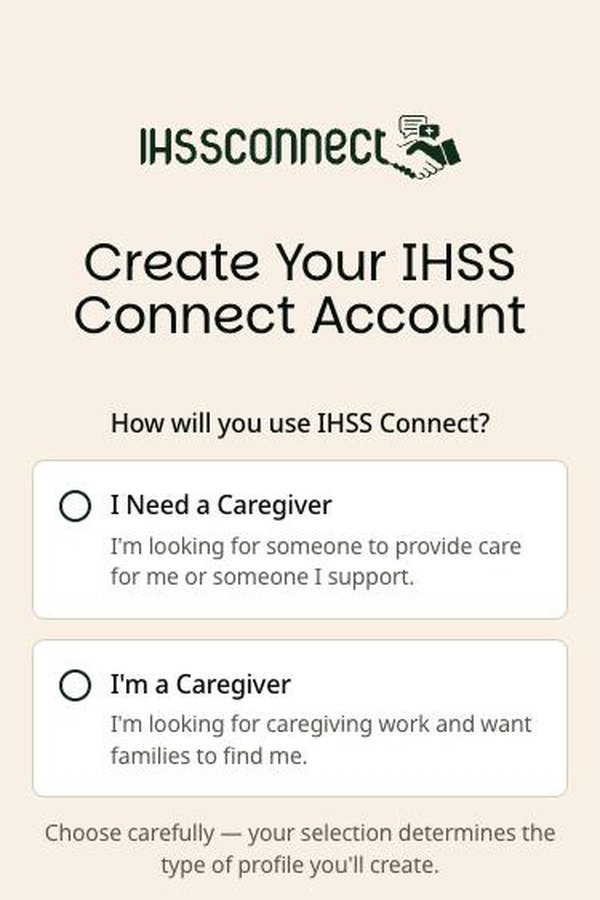
  1. Sign-up screen with two choices: I Need a Caregiver, and I'm a Caregiver

    Choose how you will use the site

    Tap Sign In, then Sign up. Pick I Need a Caregiver (for yourself or someone you support) or I'm a Caregiver.

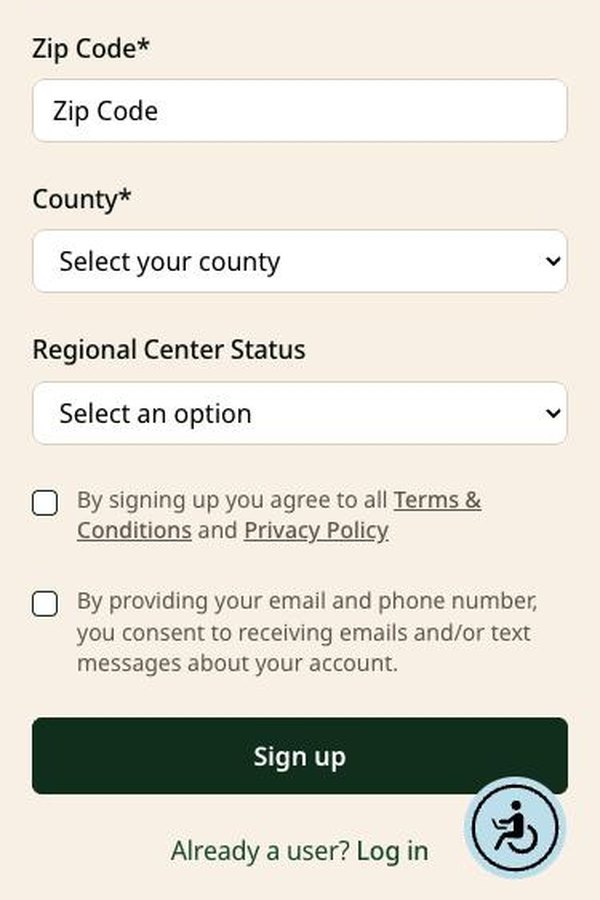
  2. Sign-up form with ZIP code, county, regional center status, consent boxes, and a Sign up button

    Fill in the form

    Add your name, email, a password you choose, ZIP code, and county. Check the boxes and tap Sign up.

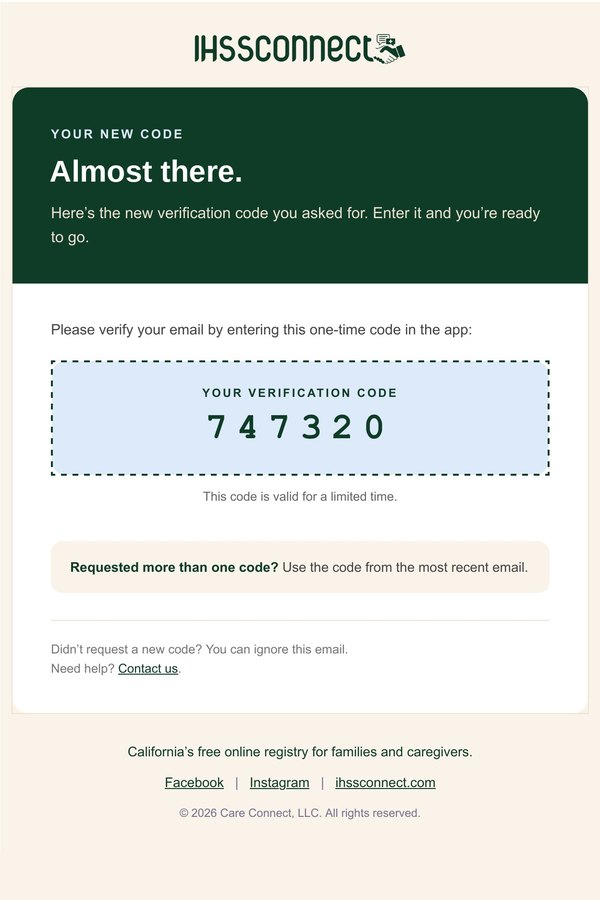
  3. IHSS Connect verification email showing a 6-digit code

    Verify your email

    Open the email Your IHSS Connect verification code and enter the 6-digit code. Not there? Check spam or junk.

Choose carefully in step 1. Caregiver and family accounts are separate, and you cannot switch later. For your security, you are signed out after 3 hours.

Part 2 · Your path

Build your profile

Create a job post

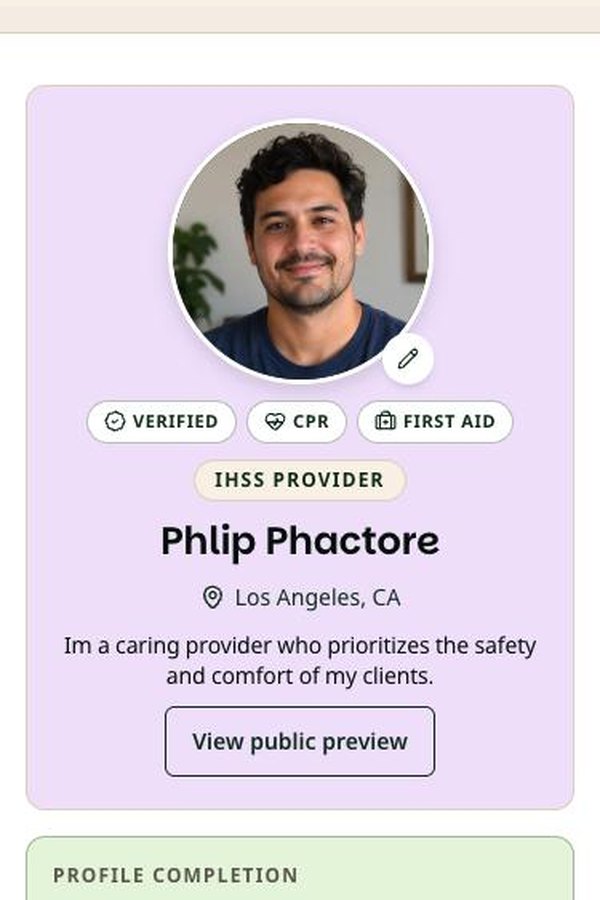
  1. Caregiver My Account page with profile photo, certifications, and profile completion

    Open My Account

    Add a clear photo of your face. The completion box shows what is left to do.

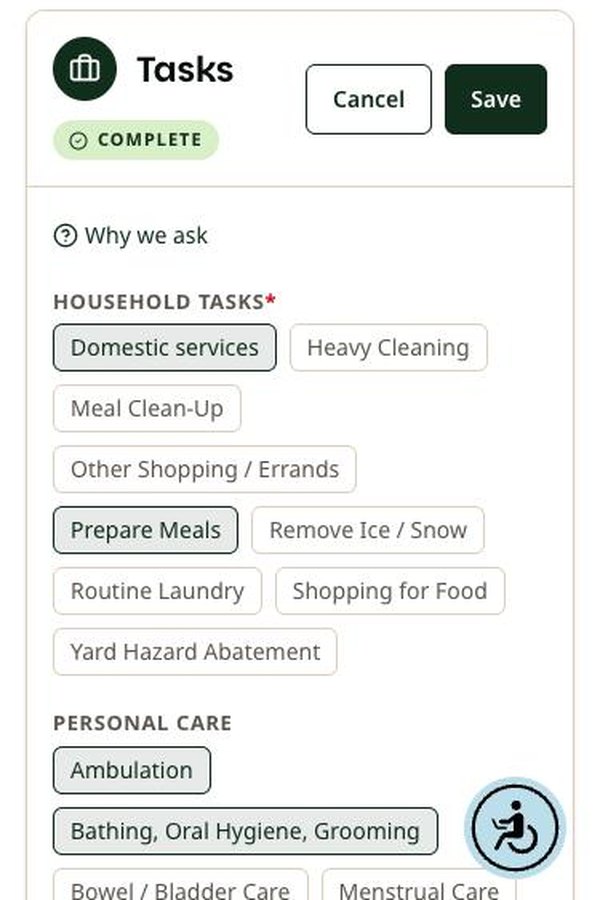
  2. Tasks section in edit mode with task options and Save and Cancel buttons

    Fill in each section

    Tap Edit, choose every task and service you provide, then tap Save. Tap Why we ask anytime.

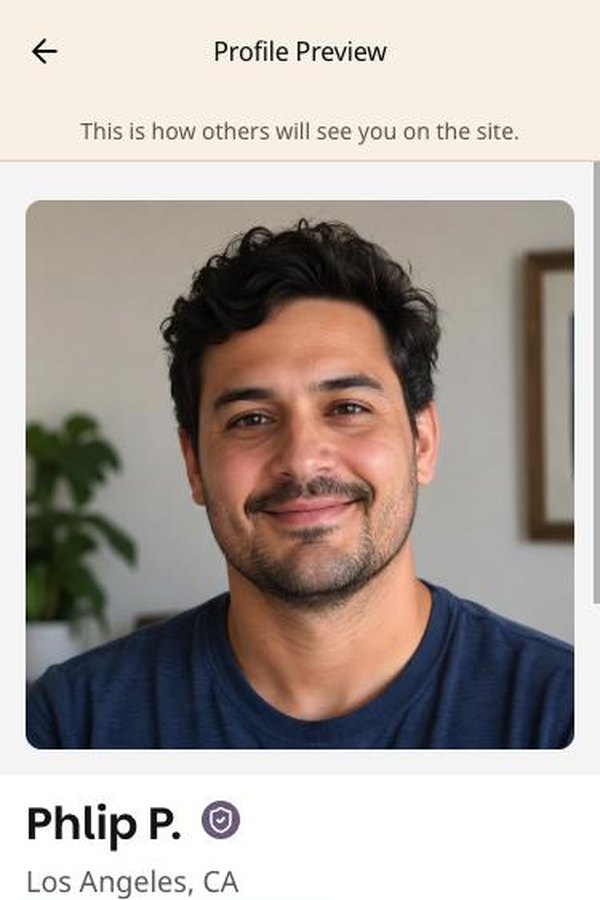
  3. Public profile preview showing photo, first name and last initial, and city

    Check what families see

    Tap View public preview. Families see your first name, last initial, and city, never your address.

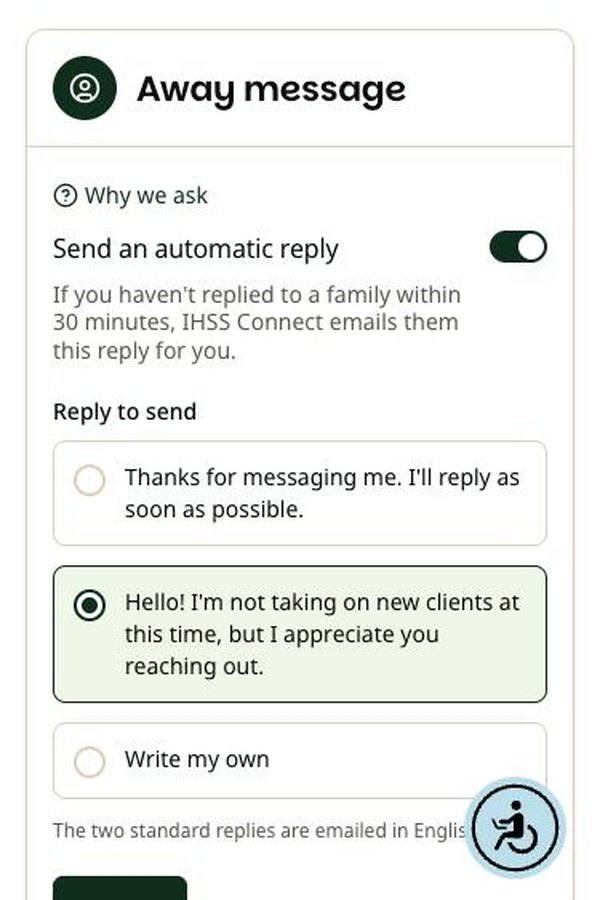
  4. Away message settings with an automatic reply toggle and reply options

    Set an away message

    If you have not replied within 30 minutes, we email families your away message for you.

Families can find you once your profile is at least 73% complete and has a photo. Then use Find Jobs to search posts, apply, and track everything in My Jobs.

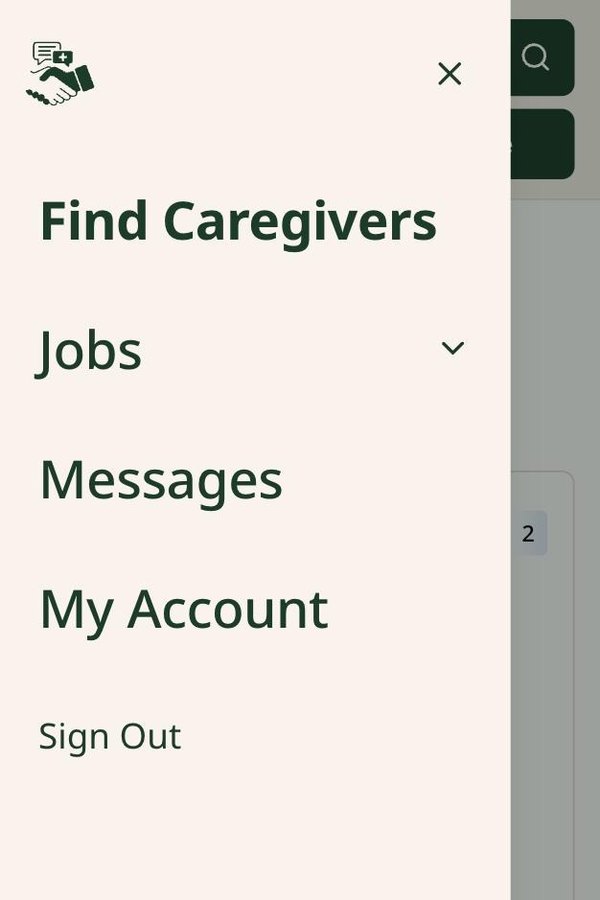
  1. Family menu with Find Caregivers, Jobs, Messages, and My Account

    Open your menu

    Tap the three lines at the top left. Go to My Account and say who the care is for.

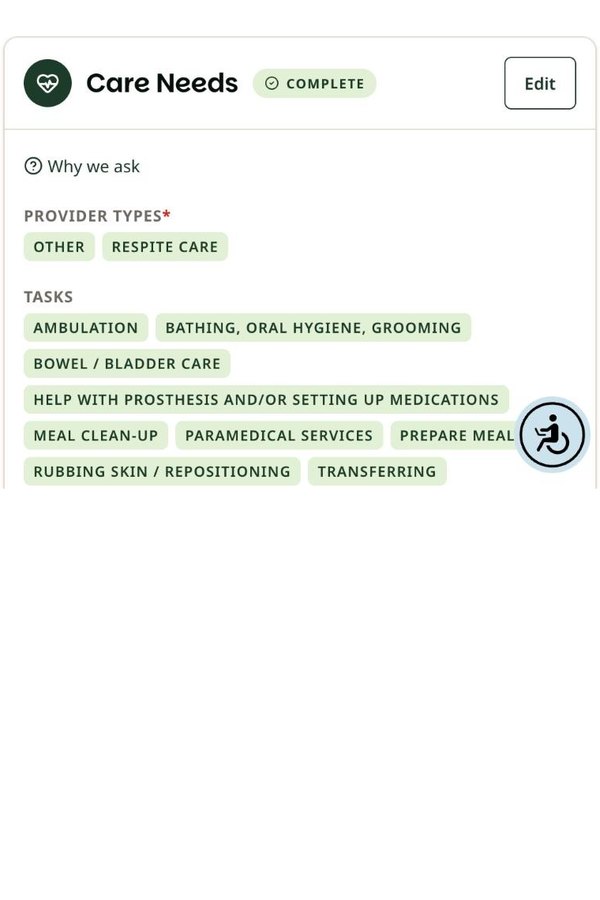
  2. Care Needs section listing provider types and tasks such as ambulation, bathing, and transferring

    Describe your care needs

    Choose the program, tasks, hours, and schedule. Tasks use the same names as IHSS.

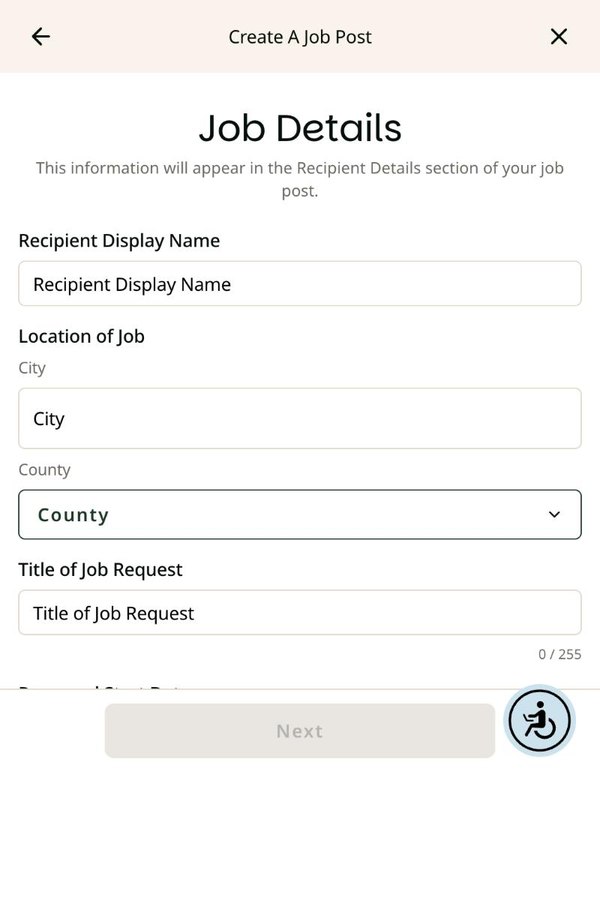
  3. Create a Job Post form with display name, city, county, and title fields

    Post a job

    Open Jobs and tap Create a Job Post. Leave your phone number and street address out.

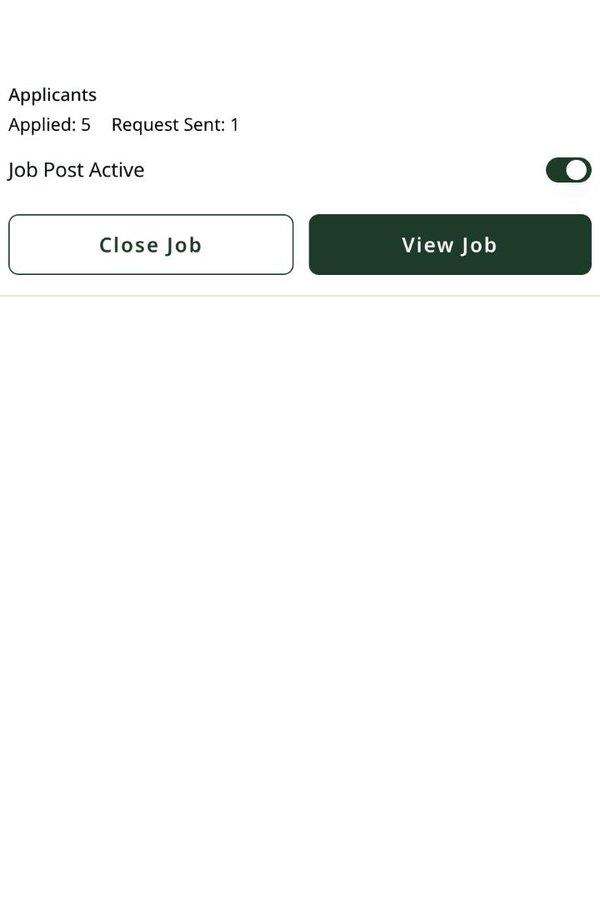
  4. Job post card showing applicant counts with Close Job and View Job buttons

    Review applicants

    Tap View Job to see who applied and message them. Found someone? Tap Close Job.

Your profile must be at least 50% complete to post a job. You can also use Find Caregivers to search by location or name and tap Contact to send a private message.

Important

All business happens offline, between you and the caregiver.

Interviews, hiring, scheduling, and ending work are handled directly by the two of you. Pay comes through the program that covers the care: IHSS, WPCS, respite, or day care. IHSS Connect does not hire, fire, or process payments.

Learn what it means to be an IHSS provider, how to get paid to support someone at home, and the steps to enroll—including orientation and approval timelines.

A centralized hub for IHSS providers with the tools, forms, and guidance needed to navigate enrollment, timesheets, appeals, and ongoing updates.