
Sharing your report
Share your report, your way
Once you have the PDF, you can share it any way that works for you.
- IHSS Connect messagingShown below
- Text
- Fax
- In person
Step by step
Send your report through IHSS Connect messaging
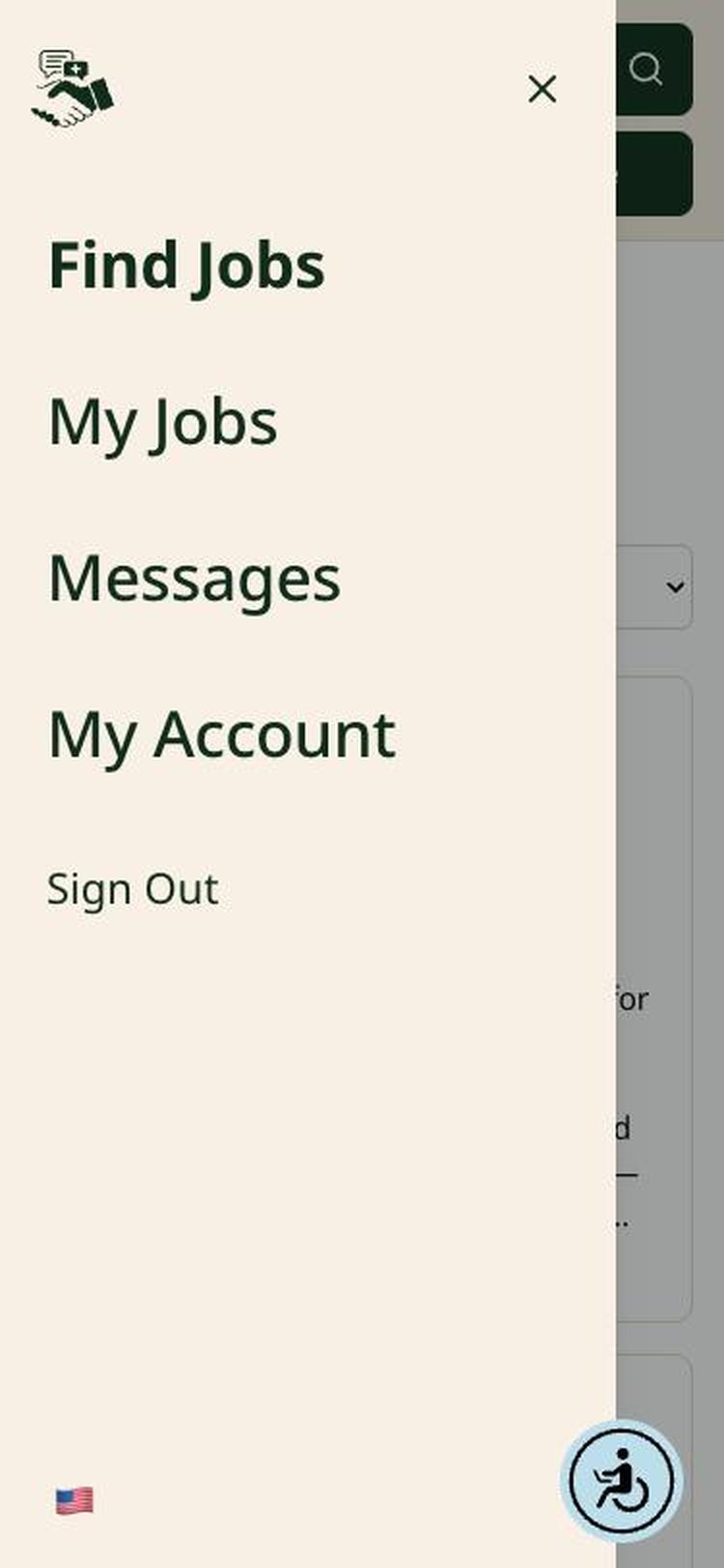
Step 1 of 5. Tap the three lines at the top left to open your menu, then tap Messages.
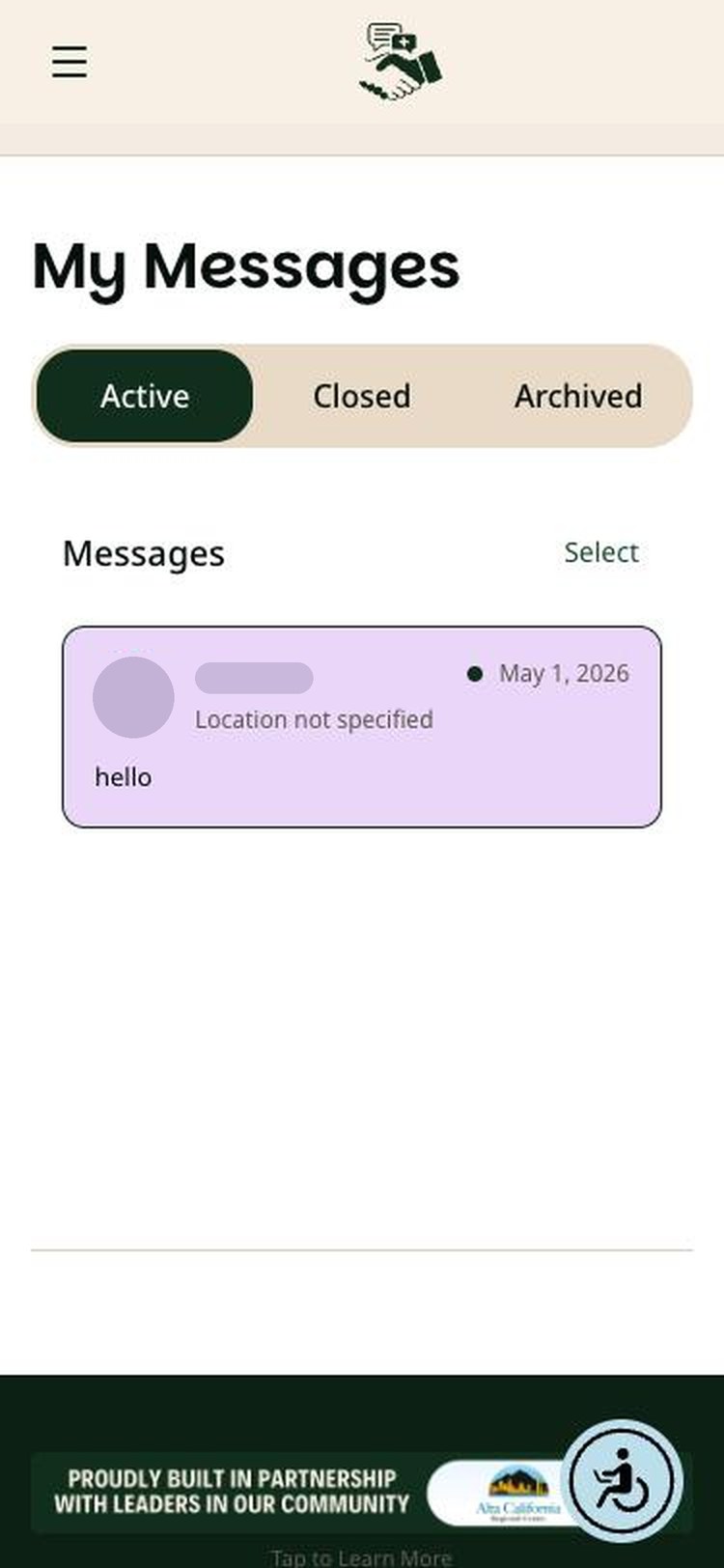
Step 2 of 5. Under Active, tap your conversation with the family you want to share your report with.
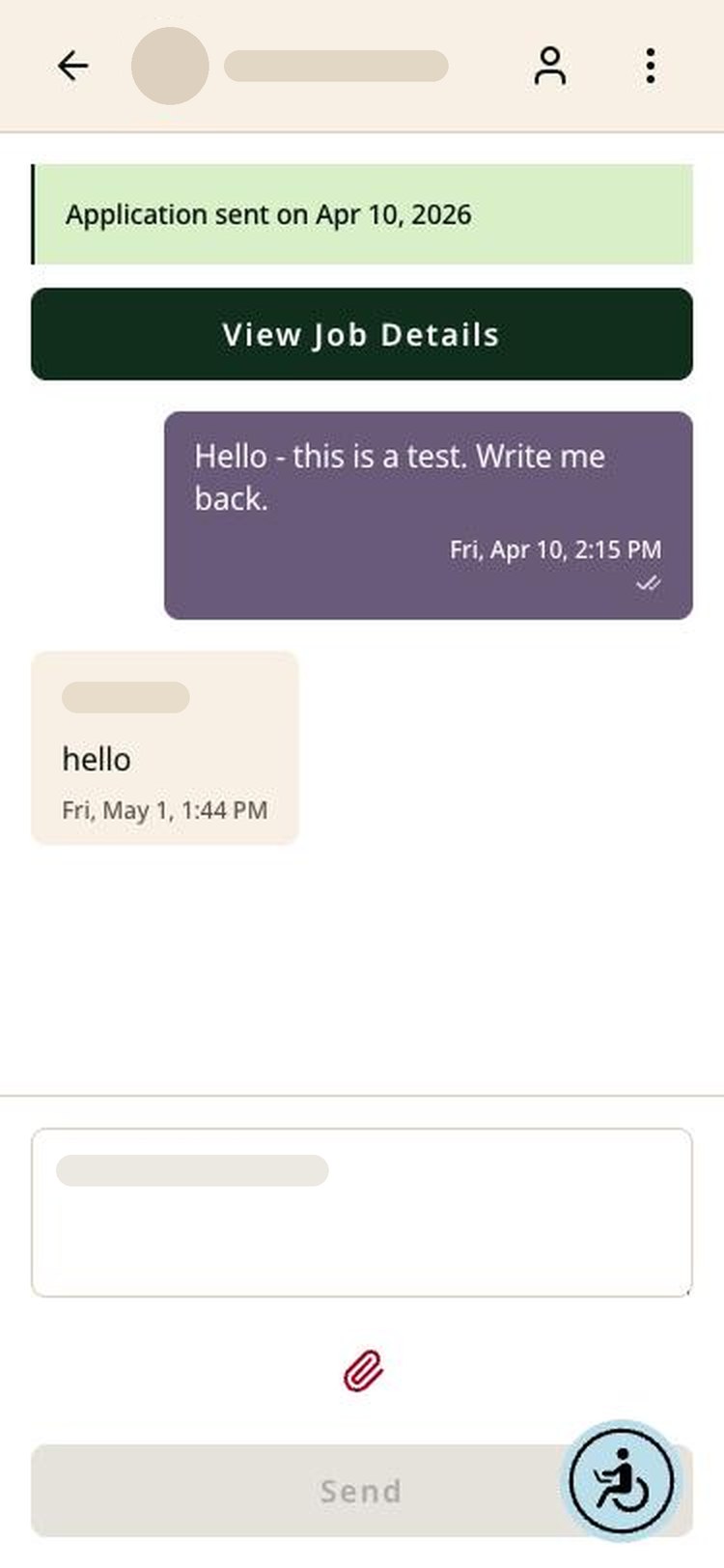
Step 3 of 5. Below the message box, tap the paperclip icon.
Step 4 of 5. Your phone or computer opens its files. Find and select the PDF report you downloaded from Checkr.
Choose a file
Recent downloadsIllustration. Your device's file picker will look different.
Step 5 of 5. Tap Send. The family receives your report in the conversation.
Important: sharing your background check report is always your choice.
Frequently asked questions
IHSS Connect background checks
Tap a question to see the answer.
IHSS Connect's role
Does IHSS Connect provide background checks?
The IHSS Connect platform provides a space to allow Recipients to connect with Caregivers. To help Recipients find the best Caregiver for their needs and enable Caregivers to easily access and share their background checks, IHSS Connect integrates with a third-party background check provider. We do not generate reports ourselves; instead, we connect Caregivers with a third-party background check provider (Checkr) that prepares the report.
Is the IHSS Connect platform a consumer reporting agency?
IHSS Connect is not a consumer reporting agency (CRA). We do not collect, assemble, or evaluate consumer information to create background reports.
Does the IHSS Connect platform make hiring decisions?
IHSS Connect does not evaluate reports or make hiring decisions. All decisions are made by the Recipient requesting the report.
What role does the IHSS Connect platform play in compliance?
We provide tools that support compliance, but you are responsible for complying with all applicable laws. We do not provide legal advice.
About the report
Who prepares the background check?
Background checks are prepared by Checkr. For more information on Checkr, visit checkr.com.
What information may be included in a background check?
The Checkr background report contains five searches:
1SSN Trace
This trace searches commercial databases, such as credit bureau records, banks, utility providers, schools, and property records, to identify names and addresses that may be associated with an SSN. It does not validate that the SSN is legitimate, confirm the SSN belongs to the candidate who submitted it, nor verify the candidate's identity.
2Sex Offender Search
This search includes registries from all 50 states, Washington DC, and US territories. The results may include the offender's date of registration and current status. For further information, view Checkr's guide on the Sex Offender Registry.
3Global Watch List
This reviews multiple domestic and international government and regulatory databases to identify individuals who are prohibited from certain industries or included on "most wanted" criminal lists.
4National Search
This scans records from a collection of nationwide databases to identify potential records for further exploration. These records may include felony and misdemeanor convictions, pending cases, and other interactions with law enforcement that did not result in a conviction.
5County Search
This includes felony and misdemeanor convictions and related information, such as charge, disposition, and sentencing. This can also include civil cases filed in county civil courts, such as claims, suits, or judgments.
Who should I contact about my report?
Questions about a report should be directed to Checkr, which is responsible for the report's accuracy and dispute process. Visit Checkr's candidate help center.
Permission and rights
Do I need permission before requesting a background check?
You are generally required to provide a clear written disclosure and obtain written authorization from the individual before requesting a background check. When Caregivers obtain a background check through our platform from Checkr, Checkr will obtain a Caregiver's consent.
For Recipients seeking to use a Caregiver's report, see "How should Recipients use report information?"
What rights do individuals have?
Individuals may have rights to be informed, provide consent, request reports, dispute inaccuracies, and receive notice of adverse decisions under applicable law. For more information, see A Summary of Your Rights Under the Fair Credit Reporting Act.
How should Recipients use report information?
You must use report information only for lawful purposes and comply with applicable legal obligations, including notice requirements. For more information on how you can use a background report in connection with hiring, see Using Consumer Reports: What Employers Need to Know.