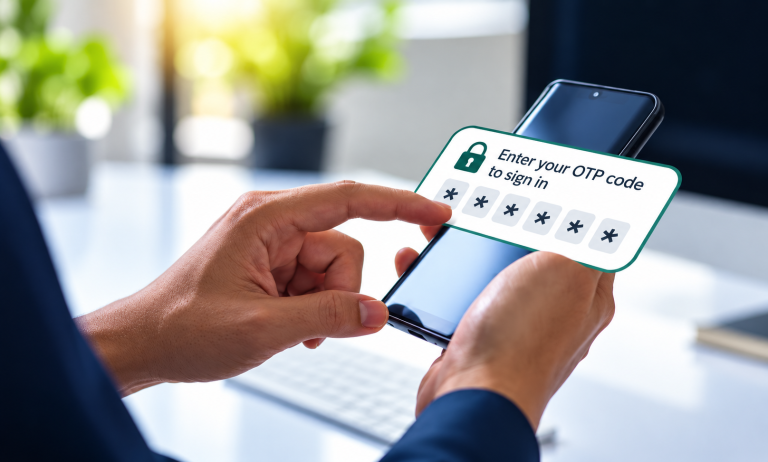
Starting October 24, 2026, the IHSS Electronic Services Portal (ESP) — the website at etimesheets.ihss.ca.gov where providers submit timesheets and recipients approve them — will begin verifying your identity with a One-Time Passcode (OTP). Instead of typing a password, you will get a short-lived code by email, text, or automated phone call and enter it to sign in.
The California Department of Social Services (CDSS) emailed ESP users about the change on October 14. Here is what is changing, what you will see on screen, why it is safer, and the one thing worth doing before October 24.
At a glance
What is changing
- A code instead of a password. Each passcode works once and expires 10 minutes after it is sent.
- You choose how to receive it: email, text message, or an automated voice call. Which options you see depends on the contact information your county IHSS office has on file for you.
- It also covers the EVV Mobile App. Signing in to the Electronic Visit Verification (EVV) Mobile App will use a passcode too.
- It rolls out in phases. CDSS says you might not see the change right away.
October 24 is when the rollout begins, not a deadline for you.
Because CDSS is phasing it in, some people will keep seeing the old sign-in screen for a while. Nothing is wrong with your account if that happens. The CDSS notice also does not mention any change to the Telephone Timesheet System (TTS), the phone-based option for timesheets.
When you will need a passcode
According to CDSS, you will be asked for a One-Time Passcode when:
- ✓Logging inEvery time you sign in to the ESP
- ✓EVV Mobile AppSigning in to the Electronic Visit Verification app
- ✓First-time registrationCreating a new ESP account
- ✓Password expired or resetWhen your password runs out or you choose to reset it
- ✓Contact informationUpdating your phone or email on file
- ✓Direct DepositSetting up where your pay goes
- ✓Email changeChanging your email with the IHSS Service Desk
- ✓eHireWhen a recipient assigns a provider
How signing in will work
- Go to etimesheets.ihss.ca.gov, enter your ESP username, and select Continue.
- You will see the ESP One-Time Passcode Login
- Choose how to receive your passcode: Email, Text, or Phone Call.
- Select Continue.
- Enter the passcode you received and select Login.
If your passcode does not arrive
- Wait a few minutes. If you chose email, check your spam folder as well as your inbox.
- Still nothing? Select Resend Passcode to get a new one.
- Check your phone or email right after you request a code. The 10-minute clock starts when the code is sent, not when you open it.
Why this is safer
A stolen password is not enough
Even someone who knows your old password cannot sign in without the code sent to you.
Each code dies fast
One use, gone in 10 minutes. A code someone sees later cannot be reused.
Your pay and care team are guarded
Direct Deposit, contact changes, and eHire assignments each need a fresh code.
A stolen password is no longer enough
With a password, anyone who learns it — from a data breach, a reused password, or a note left by the computer — can sign in. CDSS says that under the new system, even someone who knows your old password still cannot sign in without the passcode sent to you.
The code is useless almost immediately
Each passcode works one time and expires in 10 minutes. A code someone overhears or sees later cannot be reused to get back in.
It guards the actions that matter most
Look at what CDSS put behind a passcode: Direct Deposit, contact information, email changes, and eHire provider assignments. Those are the settings someone would need to change to redirect a provider’s pay or interfere with who is on a recipient’s case. Requiring a fresh code for each of those changes protects both people in the caregiving relationship — the provider’s paycheck and the recipient’s care team.
Your account is now only as secure as your email and phone.
The federal Cybersecurity and Infrastructure Security Agency (CISA) notes that codes sent by text, voice call, or email can be stolen through scams or through “SIM swap” fraud, where a criminal talks a phone carrier into moving your number to their device. Use a strong password on your email account and add a PIN to your mobile phone account if your carrier offers one.
Do this before October 24
- Sign in to ESP and open the Contact Information screen. Confirm your email and phone number are current and are ones you can actually reach on the day you need them.
- Update anything that is wrong now, not on the day a timesheet is due. CDSS says new contact information cannot be used to receive a passcode for 24 hours after a change unless additional verification is completed.
- Know which change goes where. You can edit your phone number in ESP after verifying with a passcode. To change your email address, call the IHSS Service Desk at (866) 376-7066. If you cannot get into your account at all, contact your county IHSS office.
- Pick a method you can count on. If texting is difficult for you, the automated phone call option may be easier. If you share a phone, consider which method keeps the code private.
- Check your Contact Information screenSign in to ESP and confirm your email and phone are current and ones you can reach.
- Fix anything wrong nowNew contact info cannot receive a passcode for 24 hours after a change unless extra verification is completed.
- Know who changes whatPhone number: edit in ESP after a passcode. Email: call the IHSS Service Desk at (866) 376-7066. Locked out: call your county IHSS office.
- Pick a method you can count onIf texting is hard, the automated phone call may be easier. If you share a phone, choose the method that keeps the code private.
Helping someone else with their account? Ask before October 24.
The CDSS notice does not explain how this works for people who help someone else manage their account — for example, a parent of a minor recipient, or a family member who helps a recipient approve timesheets. The code goes to the contact information on file for that account, and CDSS says not to share it with anyone. Ask your county IHSS office or the IHSS Service Desk how they want it handled, rather than finding out when a timesheet is due.
Protect your code: what a scam looks like
A passcode only works if you are the only one who sees it. Scammers know this, so expect them to try to get it from you.
- Anyone who asks for your code is a scammer. That is the FTC’s rule, and CDSS says not to share your passcode with anyone.
- You only get a code when you ask for one. Got one you did not request? CDSS says ignore it, delete it, and do not click suspicious links.
- Go to the site yourself. Type www.etimesheets.ihss.ca.gov instead of tapping a link in a text or email.
- Someone calls asking for a code? Hang up. Worried about your account? Call the IHSS Service Desk at (866) 376-7066 — a number you looked up, not one a caller gave you.
Where to get help
Where to get help
(866) 376-7066
Monday–Friday, 8 a.m.–5 p.m., except holidays
Contact your county IHSS office to update your contact information.
The CDSS One-Time Passcode Guide is available in English, Armenian, Cambodian, Chinese, Farsi, Korean, Russian, Spanish, Tagalog, and Vietnamese.
October sessions cover the passcode, with live Q&A. Remaining dates as of this writing: Oct. 20, 2026 (9–10 a.m. PST) and Oct. 27, 2026 (1–2 p.m. PST). See the schedule and join links.
Need a caregiver? Find one on IHSS Connect for free
Whether you are hiring your first provider, replacing someone, or need backup coverage, IHSS Connect is a free caregiver registry and job board for IHSS recipients and families anywhere in California. You can search for caregivers in your area or post a job so providers can find you.
Start your search at ihssconnect.com.
Hiring your first provider, replacing someone, or need backup coverage? Search caregivers in your area or post a job so providers can find you — anywhere in California.
Sources
- CDSS One-Time Passcode notice (Oct. 14, 2026), via the CDSS ESP help page
- CDSS ESP Training Webinars schedule
- FTC: What’s a verification code and why would someone ask me for it?
- CISA: Implementing Phishing-Resistant MFA (Oct. 2022)
CDSS is the primary authority throughout. If your screen, your county, or the Service Desk tells you something different, follow their instructions — the system is rolling out in phases and details may change.